How to Use an RPG Maker Save Editor for MV, MZ and VX Ace
How an RPG Maker save editor works for MV, MZ and VX Ace: save formats, what you can change (gold, items, stats), the risks, and a safe step-by-step method.
On this page 11 sections
Grinding for gold, hunting a rare item or replaying hours because of one missed switch: these are the moments when players reach for an RPG Maker save editor. A save editor opens your save file, shows the values inside (gold, items, character stats, switches and variables) and lets you change them.
It’s your game and your save, but editing it carelessly can break quests, lock you out of events or corrupt the file. This guide explains how RPG Maker saves are stored in each version, what you can safely change, and a step-by-step method that keeps a working backup.
Key Takeaways
- MV saves are
.rpgsavefiles and MZ saves are.rmmzsavefiles: both are compressed JSON data.- VX Ace saves are
.rvdata2files in Ruby’s binary format.- Gold, items and character stats are the safest values to change; switches and variables can break the story.
- Always back up the whole save set, including MV/MZ
globalandconfigfiles.
How RPG Maker Stores Saves
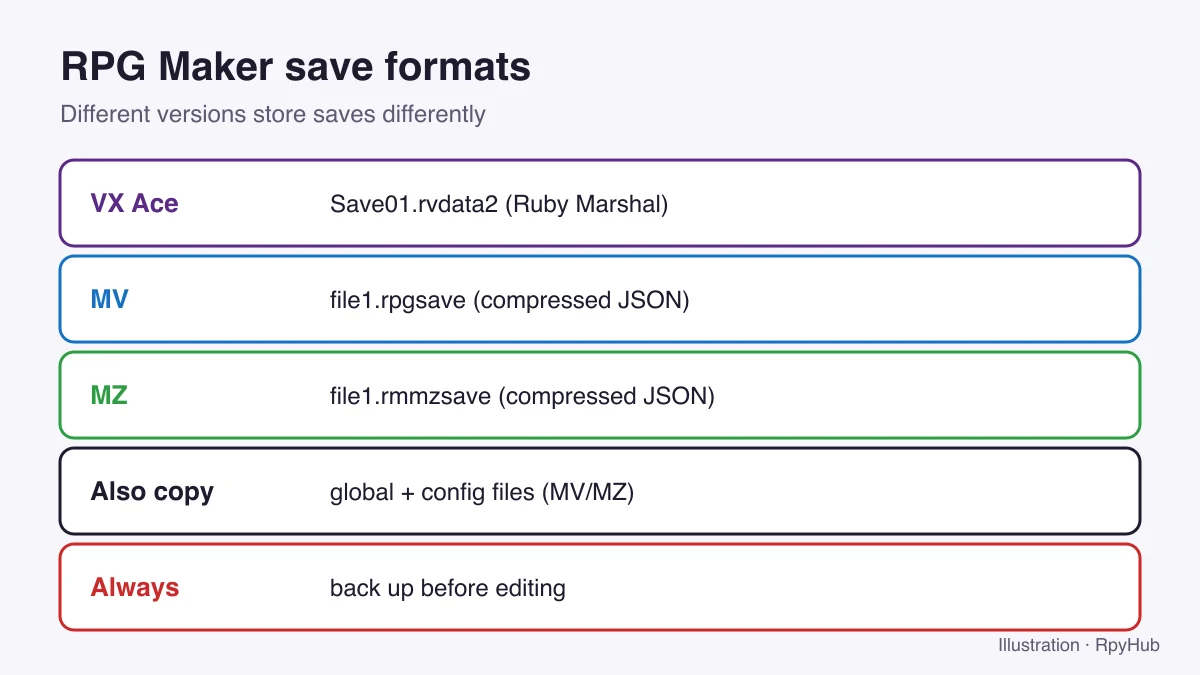
| Version | Save file | What’s inside |
|---|---|---|
| XP | Save1.rxdata | Ruby Marshal data |
| VX | Save1.rvdata | Ruby Marshal data |
| VX Ace | Save01.rvdata2 | Ruby Marshal data |
| MV | www/save/file1.rpgsave | Compressed JSON (plus global.rpgsave, config.rpgsave) |
| MZ | save/file1.rmmzsave | Compressed JSON (plus global.rmmzsave, config.rmmzsave) |
MV and MZ were built on web technology, so their saves are JavaScript data stored as compressed JSON. Older versions are written in Ruby and use Ruby’s own binary “Marshal” format. A save editor decodes this data into readable values, lets you edit them, and encodes it again.
Not sure where your saves are? See where RPG Maker save files are.
What You Can Change
| Value | Example | Risk |
|---|---|---|
| Gold | 120 → 5,000 | Low |
| Item counts | Potions, keys, materials | Low to medium |
| Character stats | HP, MP, attack, level | Low to medium |
| Equipment | Add a weapon to inventory | Medium |
| Switches | On/off flags for events | High |
| Variables | Numbers that drive quests and story | High |
Switches and variables are where most broken saves come from. A switch might mark a quest as done or a door as opened; setting it out of order can skip a scene, lock an area or crash an event. Unless you know exactly what a switch does, leave them alone.
How to Edit an RPG Maker Save Safely
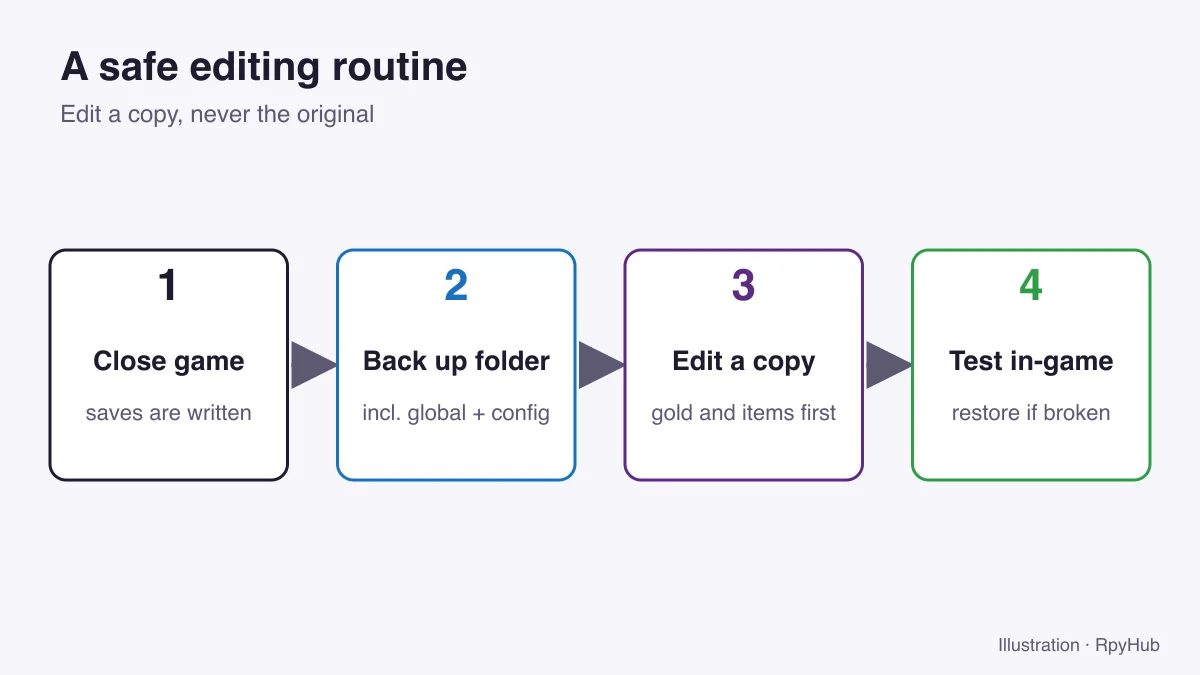
- Close the game. Some games write save data when they quit.
- Find the save folder for your version (table above).
- Back up everything. Copy the whole folder, including
globalandconfigfor MV/MZ, to a dated backup folder. - Copy your save to a new slot. For example, duplicate
file3.rpgsaveasfile9.rpgsave(and update the slot number you’ll load). Edit the copy, not your original. - Open the copy in a save editor. Use an offline, open-source tool you trust, or an online editor only if you’re comfortable uploading the file.
- Change one or two values. Start with gold or item counts.
- Save the file with the same name and format.
- Load it in-game and play for a while. If anything misbehaves, return to your backup.
If the load screen looks empty after editing an MV or MZ save, the global file’s slot list may not match. Restore global from your backup.
Online vs Offline Save Editors
| Online editor | Offline tool | |
|---|---|---|
| Setup | None, runs in the browser | Download and run |
| Privacy | You upload your save to a website | File stays on your computer |
| Trust | You rely on the site not to change anything else | Open-source tools can be inspected |
| Convenience | Very easy | Slightly more effort |
RPG Maker saves don’t carry the same code-execution risk as Ren’Py saves (which use Python’s pickle format), but uploading files to unknown sites is still a privacy trade-off. Prefer well-known tools with a public history. For Ren’Py games, see our Ren’Py save editor guide.
Cheat Menus as an Alternative to Editing Saves
Some RPG Maker games include their own cheat or debug options, and community “cheat menu” plugins exist for MV and MZ. These change the game’s plugin files rather than the save:
- Check the game’s options first. Some developers include a cheat or easy mode.
- Plugins modify game files. Back up the game folder before adding one, and only use plugins from trusted sources.
- Updates overwrite plugins. After a game update, you’ll need to reinstall the plugin.
Common Problems After Editing
| Problem | Likely cause | Fix |
|---|---|---|
| “Failed to load” or crash | File not re-encoded correctly | Restore backup; try another editor |
| Load screen empty (MV/MZ) | global file out of sync | Restore global from backup |
| Quest stuck or event missing | A switch or variable changed | Restore backup; change only gold/items |
| Values reset after loading | Game recalculates them (e.g. via plugins) | Edit a different value or use the game’s own options |
| Achievements not unlocking | Some games block achievements after edits | Expected; nothing to fix |
Ethics and Fair Play
Editing saves in single-player games is your choice. Avoid it in games with online leaderboards or competitive features, and don’t share edited saves with others as “clean” saves. If a game is too grindy, consider leaving feedback for the developer; many add difficulty or cheat options when players ask.
Practical Examples
Giving yourself more gold
Gold is stored as a single number in the party data. Change it to a reasonable amount (for example, enough for the next equipment upgrade) rather than the maximum; some games behave oddly with extreme values.
Adding healing items
Items are usually stored as a list of item IDs and quantities. Increase the quantity of items you already own instead of adding unfamiliar IDs, which might be quest items you’re not supposed to have yet.
Raising a character’s level or stats
Many editors let you change level, experience or base stats. Changing experience and letting the game level the character up naturally is often safer than setting the level directly, because skills learned on level-up are handled by the game.
A Simple Backup System
- Create a folder called
Save backupsnext to the game. - Before each editing session, copy the whole save folder into it and name the copy with the date, for example
2026-11-18 before gold edit. - Keep at least the last two backups.
- If something breaks, close the game, delete the current save folder and copy a backup back in.
When Editing Doesn’t Work
Some games protect or recalculate values:
- Plugin-managed values. MV and MZ games often use plugins that store extra data or recalculate stats on load. Edits may be overwritten.
- Encrypted or customised saves. A few developers change the save format; standard editors then can’t read it.
- Checks on load. Some games detect impossible values and reset them.
In these cases, look for the game’s own cheat or difficulty options, or accept that this game isn’t meant to be edited.
Frequently Asked Questions
What is an RPG Maker save editor?
A tool that decodes an RPG Maker save file so you can change values like gold, items, stats, switches and variables, then saves it again.
Can I edit RPG Maker MV saves?
Yes. MV saves (.rpgsave) are compressed JSON, which most save editors support. Back up the whole www/save folder first.
Can I edit RPG Maker MZ saves?
Yes. MZ saves (.rmmzsave) are also compressed JSON. They’re in the game’s save folder.
Is editing switches and variables safe?
Not really. They control quests and story progress; changing them can break events. Stick to gold, items and stats unless you know exactly what a switch does.
Will editing my save break achievements?
Some games disable achievements after detecting edited values. It depends on the game.
Why does my edited gold reset when I load the save?
The game probably recalculates or restores that value through a plugin. Try a smaller change or use the game’s own options.
Can I edit RPG Maker saves on Android?
If you play the PC version through JoiPlay, the saves are in the game folder on your phone. Copy them to a computer, edit them there, and copy them back.









Comments
0