RPG Maker MV vs MZ Compared for 2026
RPG Maker MV vs MZ compared: performance, battles, animations, plugins and community, plus which one to pick for your game in 2026.
On this page 10 sections
RPG Maker MV (released in 2015) and RPG Maker MZ (released in 2020) are the two most recent desktop versions of RPG Maker, and both are still widely used. Many successful games, including large adult RPGs, were built with MV, while MZ brings a faster engine and newer tools. So which should you pick for a new project in 2026?
This RPG Maker MV vs MZ comparison covers what actually differs, what stays the same, and how to decide, plus a short section on what the difference means for players.
Key Takeaways
- Both use JavaScript and HTML5 technology, so games run on Windows, Mac and the web, and can be packaged for mobile.
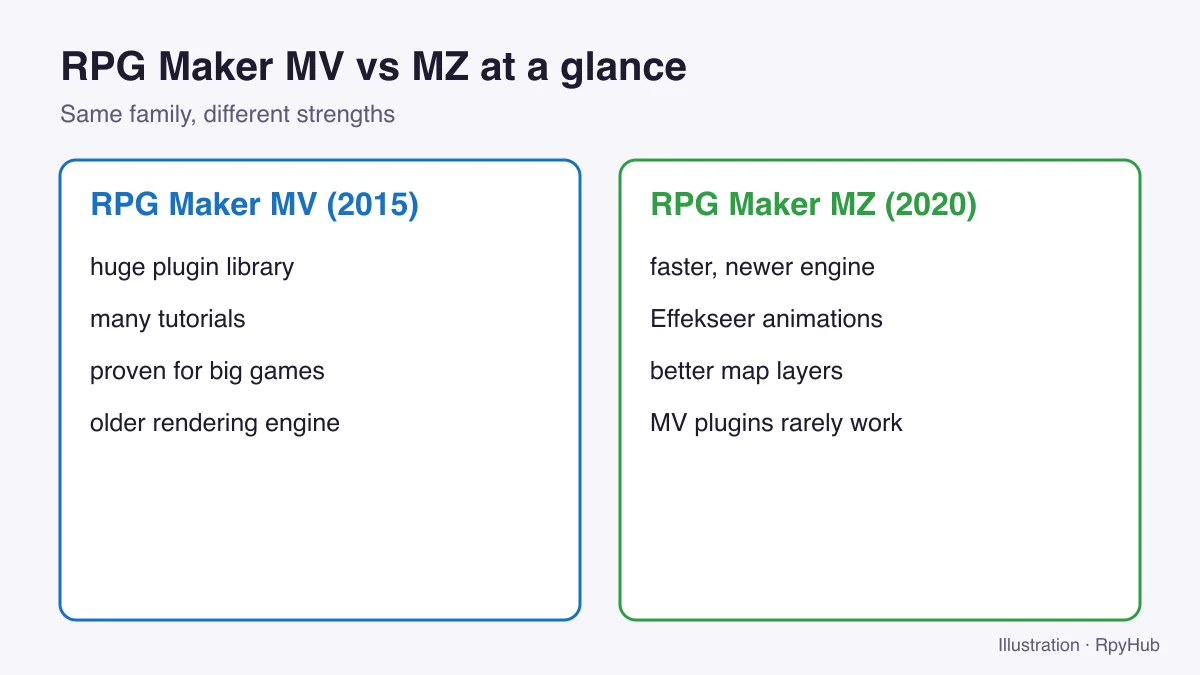
- MZ has a faster engine, Effekseer particle animations, a time-based battle option and a refined plugin system.
- MV has a larger back catalogue of plugins, tutorials and finished games.
- MV plugins usually don’t work in MZ without being rewritten.
- New project with no MV-only plugin needs? Choose MZ. Depending on specific MV plugins or tutorials? MV is still fine.
What Stays the Same
Before the differences, the important similarities:
- The workflow. Both use the same database-driven editor: maps, events, actors, classes, items, skills, enemies and troops.
- JavaScript plugins. Both are extended with JavaScript plugins rather than Ruby scripts (used in XP, VX and VX Ace).
- Platforms. Both export games built on web technology, which is why MV and MZ games run on desktop and why players can run them on Android through tools like JoiPlay (RPG Maker on Android).
- No RTP. Unlike older versions, neither requires players to install an RTP (details).
Side-by-Side Comparison
Images: RPG Maker MV and RPG Maker MZ, official Steam store art.
| Feature | RPG Maker MV | RPG Maker MZ |
|---|---|---|
| Released | 2015 | 2020 |
| Engine performance | Older rendering engine; large maps and effects can slow down | Faster rendering and loading |
| Battle systems | Turn-based (front or side view) | Turn-based plus Time Progress Battle option (front or side view) |
| Animations | Sprite-sheet animations | Effekseer particle animations |
| Map editor | Classic layer handling | Improved layer handling and editing tools |
| Plugins | Huge library, many free | Growing library; plugin commands built into events |
| MV plugin compatibility | — | Usually incompatible without rewriting |
| Tutorials and community | Very large, many years of material | Large and growing |
| Save files | www/save/*.rpgsave | save/*.rmmzsave |
The Big Differences Explained
Performance
MZ’s engine is noticeably faster, especially with large maps, many events and effects. If your game is ambitious, with big towns, lots of moving characters or heavy visual effects, MZ gives you more headroom.
Battles and animations
MZ adds a Time Progress Battle mode, where characters act as their individual timers fill, alongside the classic turn-based system. Its Effekseer animation system creates particle-based effects for spells and attacks that look more modern than MV’s sprite-sheet animations.
Plugins
This is the deciding factor for many creators. MV’s plugin ecosystem built up over years and covers almost anything: menus, battle systems, quest logs, crafting. Many of those plugins were written for MV’s code structure and don’t run in MZ. Popular plugin authors have released MZ versions of many tools, but not all.
Check before you commit: list the plugins your game needs and confirm MZ versions exist.
Community and learning material
MV has a larger pile of tutorials, forum answers and example projects because it’s been around longer. MZ’s community is active and much of MV knowledge transfers, but if you learn best by following old tutorials step by step, MV has more of them.
Which One Should You Choose?
| Your situation | Recommendation |
|---|---|
| Brand-new project, first RPG | MZ: newer engine, still beginner-friendly |
| Depends on specific MV-only plugins | MV |
| Big maps, many effects, performance matters | MZ |
| Following an MV tutorial series | MV, or MZ if the concepts transfer |
| Continuing an existing MV game | Stay on MV; porting means replacing plugins |
| Want modern spell and battle effects | MZ |
Can You Move a Project From MV to MZ?
Partly. Graphics, audio and much of the database can be reused, but plugins are the hard part: anything your game relies on needs an MZ equivalent, and events that use MV plugin commands need rework. For a large game, porting can take a lot of time. For a small game or a prototype, starting fresh in MZ is often simpler.
What It Means for Players
- Installing: both run from
Game.exeon Windows; no RTP needed. - Saves: MV saves live in
www/save/, MZ saves insave/(RPG Maker save files). - Android: both usually run in JoiPlay.
- Save editing: both use compressed JSON saves (RPG Maker save editor).
Players can usually tell which version a game uses from its folder: MV games have a www/ folder, MZ games have js/rmmz_core.js and no www/ folder.
Which Assets Carry Over
Many assets work in both versions with little or no change:
- Tile size. Both use 48×48 tiles, so most tilesets carry over.
- Character sprites and faces. Standard character sheets and face graphics follow the same layout.
- Audio. Music and sound files can be reused.
- Database content. Actors, items and skills need to be re-entered or converted, but the concepts are the same.
The parts that don’t carry over cleanly are plugins and anything that depends on them, such as custom menus or battle systems.
Testing and Releasing Your Game
- Playtest often from the editor; both versions launch a test build with one click.
- Deploy for each platform from the editor’s deployment menu.
- Keep file sizes down: compress large images and audio before release, especially if you plan a mobile version.
- Check plugin licences. Each plugin has its own terms for commercial use and credit; read them before you sell your game.
A Quick Decision Checklist
Answer these before you choose:
- Do I need any plugin that only exists for MV?
- Will my game have large maps, many events or heavy effects?
- Am I following a specific tutorial series?
- Am I continuing an existing project?
If you answered “no” to 1, 3 and 4, pick MZ. If you answered “yes” to 1 or 4, MV is the practical choice.
Frequently Asked Questions
Is RPG Maker MZ better than MV?
For new projects, usually yes: it’s faster and has newer tools. MV remains a good choice if you need its plugins or tutorials.
Can I use MV plugins in MZ?
Usually not without changes. Look for MZ versions from the plugin’s author or alternatives.
Do MV and MZ games need the RTP?
No. Only older versions (2000, 2003, XP, VX, VX Ace) use an RTP.
Which RPG Maker is best for beginners?
MZ is a good starting point in 2026; it’s beginner-friendly and actively supported. MV has more old tutorials if you prefer following those.
Can MV and MZ games run on Android?
Yes. Developers can package them for mobile, and players can often run PC builds through JoiPlay.
Can I use MV tilesets in MZ?
Usually yes. Both use 48×48 tiles, so most tilesets carry over.
Is MZ harder to learn than MV?
No. The editor works the same way; most MV knowledge transfers directly.



Comments
0