
How to Play RPG Maker Games on Android with JoiPlay (XP to MZ)

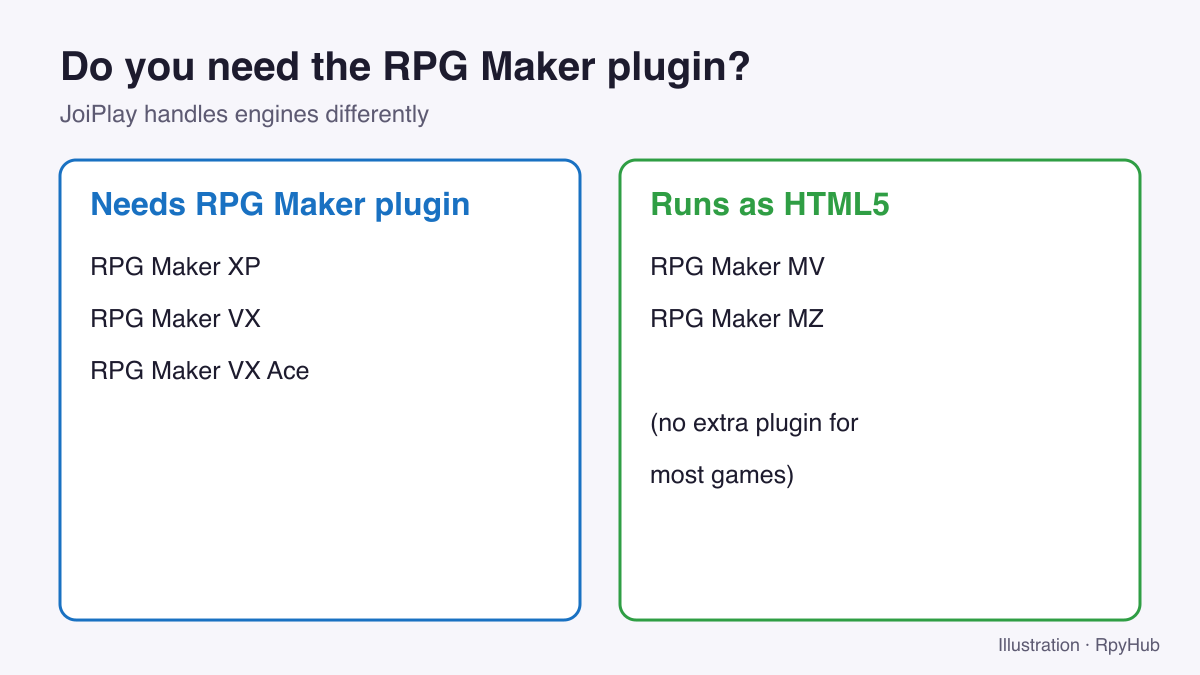
You can play most PC RPG Maker games on Android with JoiPlay, the same app many players use for Ren’Py games. The setup depends on which version of RPG Maker the game was made with: older versions (XP, VX, VX Ace) need JoiPlay’s RPG Maker plugin, while MV and MZ games are HTML5 games that JoiPlay can run directly.
This guide shows how to recognise the version, which plugin to install, and how to fix the problems players hit most often.
Key Takeaways
- Check the game’s RPG Maker version first: the files in its folder tell you.
- XP, VX and VX Ace games need JoiPlay’s RPG Maker plugin.
- MV and MZ games are HTML5 and run in JoiPlay without that plugin in most cases.
- Older games may also need their RTP files; MV and MZ never do.
Step 0: Find Out Which RPG Maker Version the Game Uses
Open the unzipped game folder (on your PC or with a file manager on your phone) and look for these files:
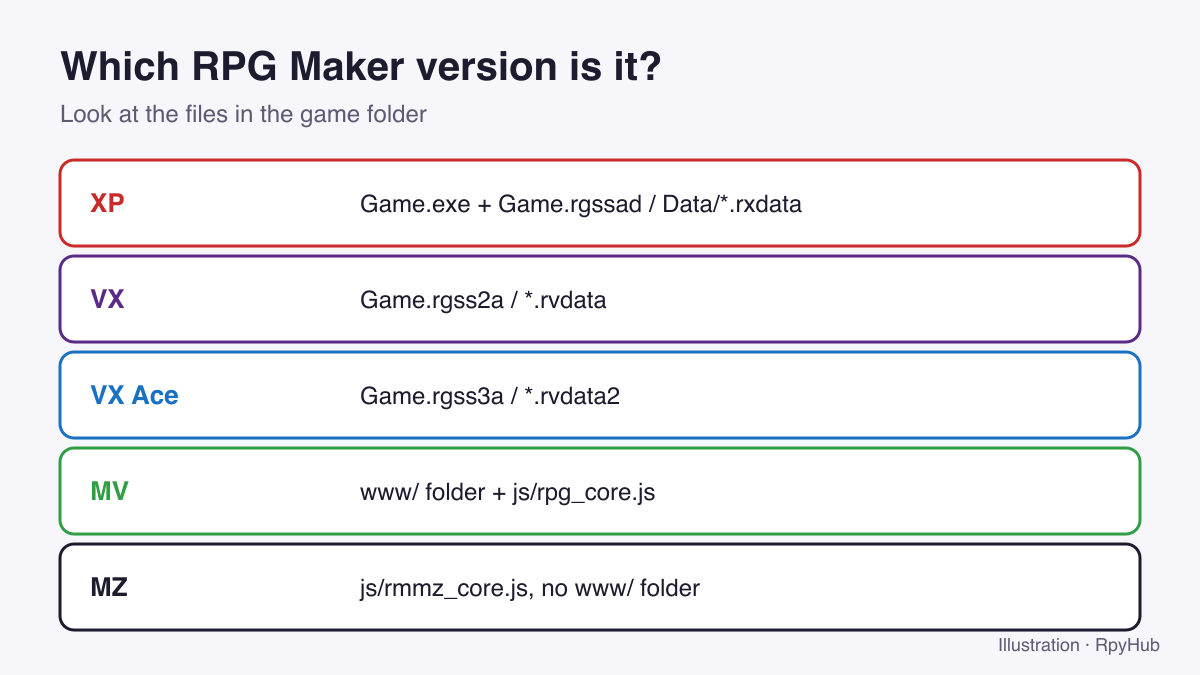
| Version | Tell-tale files |
|---|---|
| RPG Maker XP | Game.rgssad, Data/*.rxdata |
| RPG Maker VX | Game.rgss2a, *.rvdata |
| RPG Maker VX Ace | Game.rgss3a, *.rvdata2 |
| RPG Maker MV | a www/ folder with js/rpg_core.js |
| RPG Maker MZ | js/rmmz_core.js and no www/ folder |
Step 1: Install JoiPlay and the Right Plugin
JoiPlay supports RPG Maker XP, VX, VX Ace, MV and MZ, plus Ren’Py and several HTML5 engines. Its official site lists an RPG Maker Plugin that adds support for XP, VX and VX Ace, and requires Android 5.0 or newer (joiplay.io, retrieved 2026-10-12).
- Install JoiPlay from the developer’s official site or Patreon. Avoid APK mirror sites, which often carry old builds.
- For XP, VX or VX Ace games, also install the RPG Maker Plugin from the same official source.
- Open JoiPlay → menu (⋮) → Plugins and check that the plugin is listed.
Our JoiPlay guide for Ren’Py games covers installing the app itself in more detail.
Step 2: Copy the Game to Your Phone
- Download the PC (Windows) version of the game.
- Unzip it on your phone with a file manager such as ZArchiver. Keep the folder structure intact.
- Put it somewhere easy to find, such as
Download/Games/.
Step 3: Add the Game in JoiPlay
- Tap + in JoiPlay.
- Enter a name and version (labels only).
- Under Executable File, choose
Game.exein the game folder. For MV games you may also seewww/index.html;Game.exeis the usual choice. - Tap Add, then launch the game from your library.
Step 4: Set Up Controls
RPG Maker games are built for a keyboard or gamepad. JoiPlay shows an on-screen pad and buttons. Useful mappings:
- Z / Enter / Space: confirm
- X / Esc: cancel and menu
- Shift: dash in many games
If the on-screen buttons cover the screen, make them smaller or more transparent in the game’s JoiPlay settings.
Common Problems and Fixes
| Problem | Likely cause | Fix |
|---|---|---|
| “RGSS…dll not found” or missing graphics | Game needs the RTP | Get the version of the game that includes the RTP, or add the RTP files the developer lists |
| Black screen on an MV/MZ game | Heavy plugins or effects | Install JoiPlay’s Crosswalk plugin, which the developer offers for HTML5 games with issues |
| Text shows as boxes | Missing font (often Japanese games) | Use the game’s included fonts or an English-patched version |
| Game won’t add | Wrong file selected | Pick Game.exe in the main game folder |
| Very slow | Big MV/MZ game on an older phone | Lower JoiPlay’s resolution or FPS settings if available |
About the RTP: the RPG Maker Run Time Package supplies shared graphics, music and DLL files so that games don’t have to include them. Official RTPs exist for RPG Maker 2000, 2003, XP, VX and VX Ace (RPG Maker Web: Run Time Package, retrieved 2026-10-12). MV and MZ games ship everything they need. Our guide to installing RPG Maker games on PC explains the RTP in more detail.
Keeping Your Saves
Because JoiPlay runs the PC version, your saves sit inside the game folder on your phone, just as they would on a PC. Before updating a game, copy its save files to a safe place. See where RPG Maker save files are for the exact file names for each version.
Frequently Asked Questions
Can JoiPlay run RPG Maker MV and MZ games?
Yes. MV and MZ games are HTML5 games, and JoiPlay lists both as supported engines. Most run without the RPG Maker plugin.
Which plugin do I need for RPG Maker VX Ace games?
The RPG Maker Plugin for JoiPlay, which adds support for XP, VX and VX Ace.
Do I need the Android or PC version of the game?
The PC version. JoiPlay runs the Windows build of the game.
Why does my RPG Maker game say a file is missing?
Older games often rely on the RTP. Use a version of the game that includes it, or check the game page for the files it needs.
Conclusion
Identify the RPG Maker version, install JoiPlay (plus the RPG Maker plugin for XP, VX and VX Ace), unzip the PC version, and add Game.exe. For RPG Maker games with a native Android build, the APK is still the easiest option: browse Android games or the RPG category.





Comments
0