
How to Play Ren’Py Games on Android with JoiPlay (2026 Guide)

Most Ren’Py visual novels are released for Windows, macOS and Linux first, and many never get an official Android version. That leaves a lot of players staring at a .zip full of .exe files on their phone. The good news: an Android app called JoiPlay can run the PC version of most Ren’Py games directly on your phone.
The bad news is that most JoiPlay guides online are out of date. They point to old plugin versions that no longer open newer games, which is the number one reason people see crashes. This guide walks through the current setup, step by step, and shows you how to keep your saves and fix the most common problems.
If you have never installed a Ren’Py game before, start with our basic guide to installing Ren’Py games.
Key Takeaways
- If a game has an official Android APK, use that. It is faster and needs no setup.
- For PC-only games, install JoiPlay and its separate Ren’Py plugin, and keep both up to date. Old plugins are the most common cause of crashes.
- Download the Windows (PC) version of the game, unzip it on your phone, and select the game’s main
.exein JoiPlay (not the-32.exe).- To keep progress after an update, copy the old
game/savesfolder into the new version’s folder.Version info checked: October 2026 (JoiPlay 1.21.000, Ren’Py Plugin 8.5.0).
Do You Even Need JoiPlay? Check for an Official Android Version First
Before installing anything, check whether the game already has an Android build. A native APK is built specifically for phones, so it usually runs smoother, uses touch controls properly, and installs like any other app.
On RpyHub, roughly 104 games list an Android build, compared with about 219 for Windows (catalog counts as of October 2026). So for a large part of the catalog, an Android version simply does not exist, and that is exactly where JoiPlay comes in.
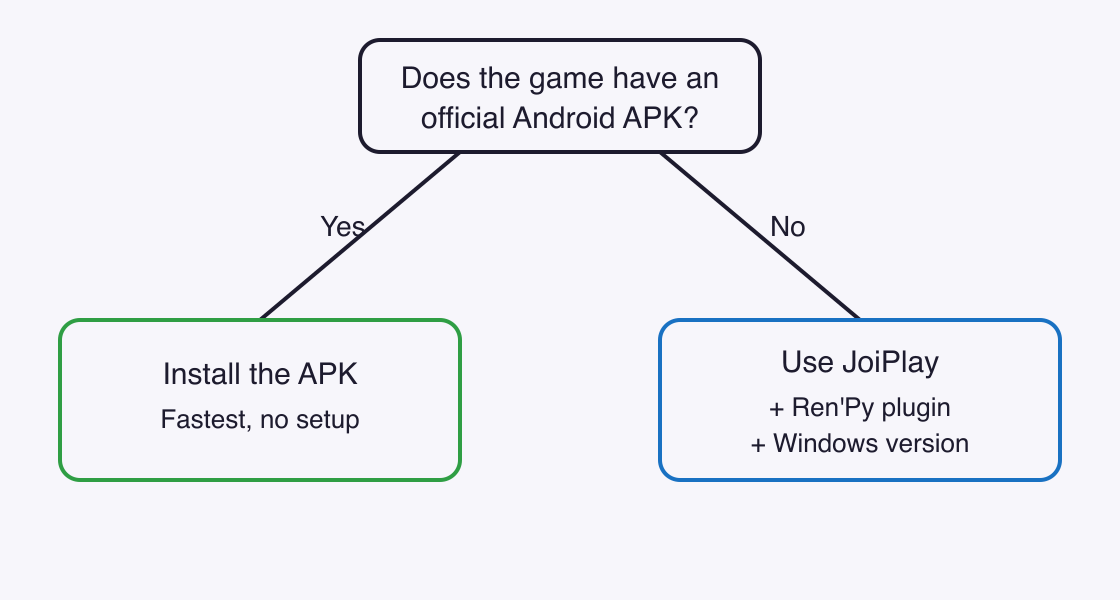
You can browse games with native Android builds to see if yours is one of them. If it is not, keep reading.
What You’ll Need Before You Begin
- An Android phone or tablet with enough free space for the game (the unzipped PC version is often larger than the zip).
- The JoiPlay app and the Ren’Py Plugin for JoiPlay. These are two separate downloads.
- The Windows (PC) version of the game as a
.zipfile. Not the APK, not the Mac version. - A file manager that can unzip files, such as ZArchiver or your phone’s built-in file manager.
- Time: about 10 minutes. Difficulty: easy.
JoiPlay is an Android app that runs games made with desktop engines such as Ren’Py and RPG Maker, using a separate plugin for each engine.
Step 1: Download JoiPlay and the Ren’Py Plugin from the Right Place
The safest and most up-to-date source is JoiPlay’s own channels: the developer’s Patreon page and the official site, joiplay.io. Third-party APK mirror sites often list builds that are months or years old, and an outdated plugin is the most common reason a game refuses to start.
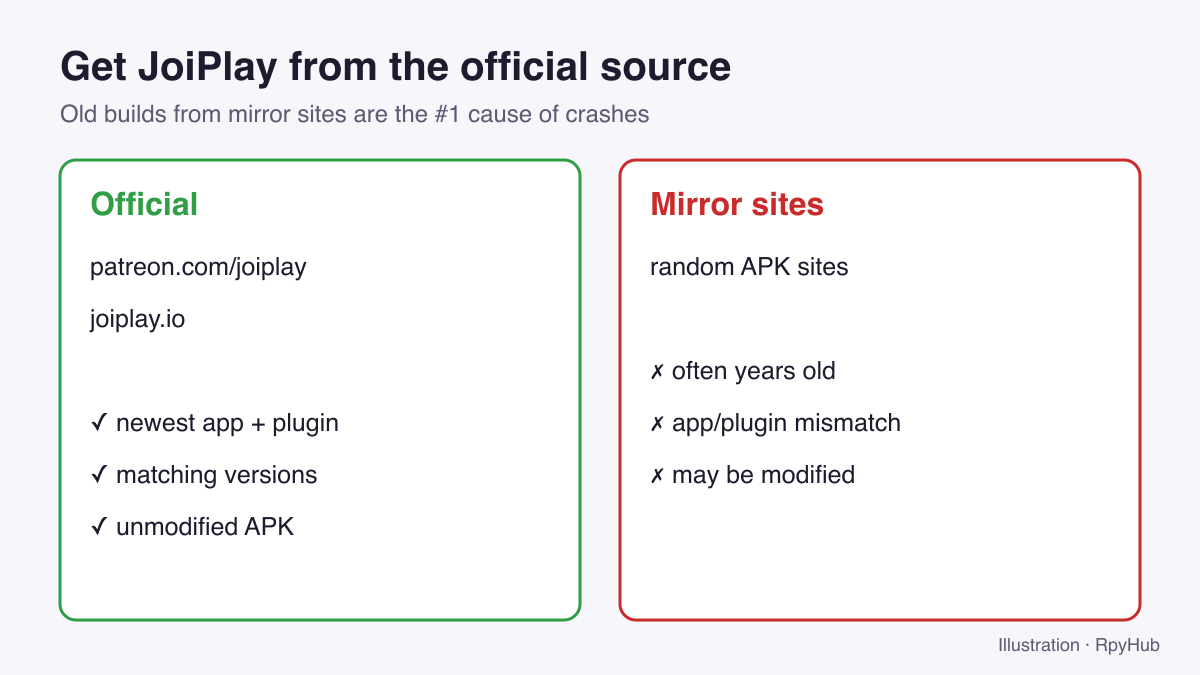
At the time of writing, the developer’s Patreon lists JoiPlay 1.21.000 together with Ren’Py Plugin 8.5.0 (JoiPlay on Patreon, retrieved 2026-10-11). The download page on joiplay.io showed an older app build, v1.20.590, dated March 2026 (joiplay.io, retrieved 2026-10-11). If the two sources disagree, take the newest version and make sure the app and plugin come from the same release post.
When you open the APK, Android will ask you to allow installs from this source. That is normal for apps installed outside the Play Store. If Google Play Protect blocks the install, you may need to allow it for this file.
Safety tip: Only install JoiPlay and its plugins from the developer’s official links. A modified APK from a random mirror can contain anything.
Step 2: Install the Ren’Py Plugin Inside JoiPlay
JoiPlay on its own cannot run Ren’Py games. The Ren’Py plugin adds that ability. Install the plugin APK you downloaded, then open JoiPlay and check that it is detected: tap the three-dot menu (⋮) in the top-right corner and open Plugins.
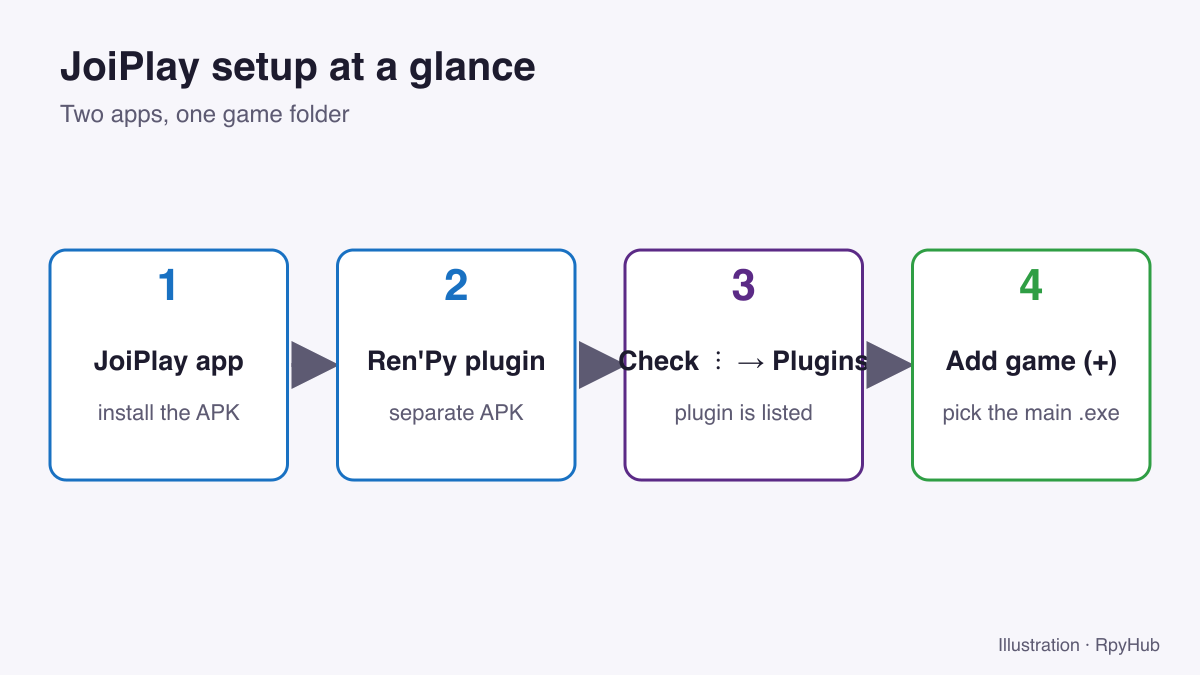
The plugin version matters because each plugin bundles a specific version of the Ren’Py engine. A game built with a newer Ren’Py than your plugin supports may crash on launch. For reference, Ren’Py’s stable release is 8.5.3 as of May 2026 (Ren’Py on Wikipedia, retrieved 2026-10-11), slightly ahead of the 8.5.0 plugin. Most games still run fine, but if a brand-new release refuses to open, an outdated plugin is the first thing to suspect.
Step 3: Unzip the PC Version of the Game on Your Phone
Download the Windows version of the game (see all Windows games) and unzip it with your file manager. Put the unzipped folder somewhere easy to find, such as Download/Games/. Once it is unzipped, you can delete the original .zip to free up space.
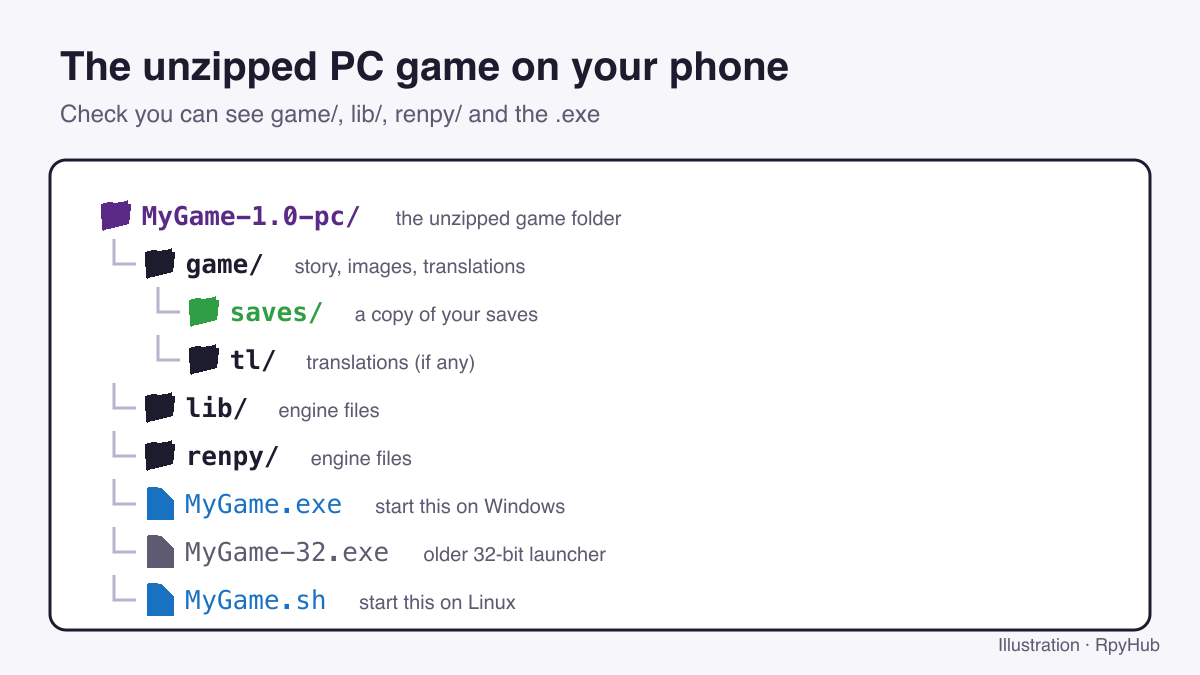
To check that you are in the right folder, look for these items side by side:
- a
gamefolder (story files, images and your saves) - a
libfolder and arenpyfolder (the engine) - one or more
.exefiles, usually named after the game
If you only see another folder inside, open it. Many zips contain a single top-level folder.
Step 4: Add the Game to JoiPlay
Open JoiPlay and tap the + button in the bottom-right corner. Give the game a name and version (these are only labels for your library), then tap Choose next to Executable File and browse to the unzipped folder.
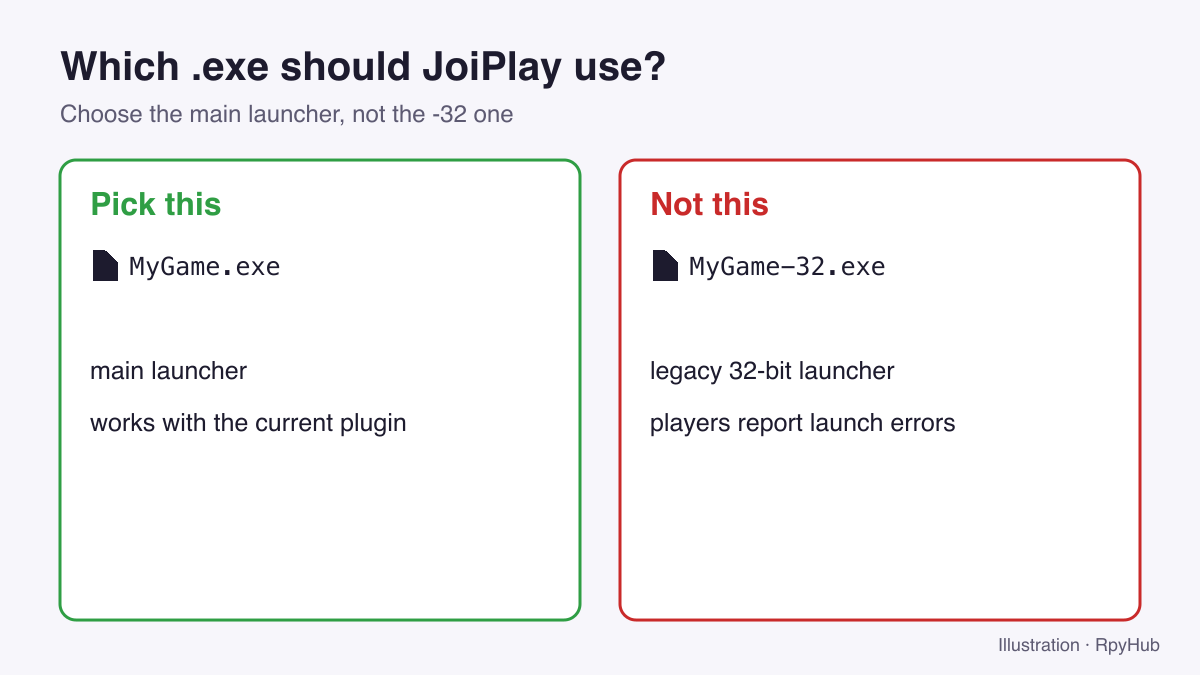
Select the game’s main .exe file. Many Ren’Py games also include a file ending in -32.exe. Do not pick that one; players often report it as a cause of launch problems. Tap Add, and the game appears in your JoiPlay library.
Step 5: Set Up Controls and Start Playing
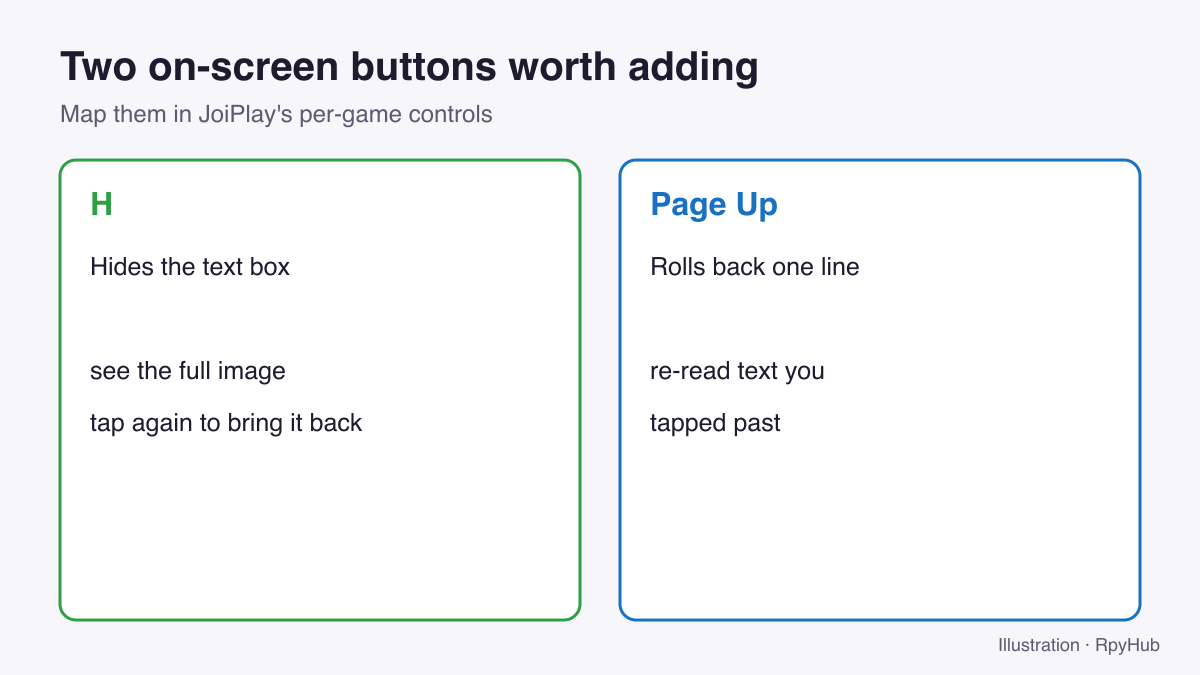
Tap the game in your library to launch it. Ren’Py games are designed for a mouse and keyboard, so JoiPlay shows on-screen buttons you can map to keys. Two that are worth adding:
- H hides the game’s text box and interface, so you can see the full image.
- Page Up rolls back to the previous line, useful if you tapped past something.
If the buttons get in the way, you can make them smaller or more transparent in JoiPlay’s settings for that game.
For more shortcuts, see Ren’Py keyboard shortcuts every player should know.
How to Keep Your Saves When the Game Updates
Ren’Py games that are still in development release new versions regularly. You do not need to start over each time. In most Ren’Py games, saves are stored in the game/saves folder inside the game directory.
- Unzip the new version into a new folder. Do not overwrite the old one yet.
- Copy the
savesfolder from the old version’sgamefolder into the new version’sgamefolder. - In JoiPlay, add the new version as a game (Step 4) or edit the existing entry to point to the new
.exe. - Launch the game and check that your saves appear. Once they do, delete the old folder.
Some games also keep a second copy of saves elsewhere on the device, so if saves do not show up, check the game’s own documentation. We cover every location in detail in where Ren’Py stores your save files.
JoiPlay Not Working? Common Problems and Fixes
Most JoiPlay problems come down to one of a handful of causes. Work through this table from the top.
| Problem | Likely cause | Fix |
|---|---|---|
| Game closes as soon as it opens | Outdated or mismatched Ren’Py plugin | Update both JoiPlay and the plugin from the same official release |
| Plugin will not install | Play Protect or install permissions | Allow installs from your browser or file manager for this file |
| “Executable not found” or nothing happens | Wrong folder, or the zip was not extracted | Unzip fully and select the main .exe inside the game folder |
| Game launches but crashes later | Game uses a newer Ren’Py than the plugin | Wait for a plugin update, or check for an official APK |
| Very slow or stuttering | Heavy game on an older phone | Close other apps; use the official APK if one exists |
| Text and buttons are tiny | Interface designed for a desktop screen | Adjust scaling in JoiPlay’s per-game settings |
| Game is not Ren’Py at all | Unity or another engine | JoiPlay only supports specific engines; check the game’s engine first |
If none of these helps, the game’s comment section or community is the best place to ask, because some games need game-specific fixes.
Frequently Asked Questions
Can you play Ren’Py games on Android?
Yes. Some games ship an official Android APK. For PC-only games, JoiPlay with its Ren’Py plugin can run the Windows version on your phone.
Is JoiPlay free?
JoiPlay and its plugins are distributed by the developer through Patreon and joiplay.io. Check the current release post for any access requirements.
Do I need the Android or PC version of the game for JoiPlay?
The PC (Windows) version. JoiPlay runs the Windows build of a Ren’Py game; you select its .exe when adding the game.
Is JoiPlay safe to install?
Install it only from the developer’s official links. APKs from third-party mirror sites can be outdated or modified.
Can JoiPlay run RPG Maker games too?
Yes, with a separate RPG Maker plugin. Some RPG Maker games also need extra runtime files (RTP). See our RPG Maker games for more.
Conclusion
Playing PC visual novels on your phone takes about ten minutes once you know the order:
- Check for an official Android APK first.
- If there is none, install JoiPlay and its Ren’Py plugin from the official source, and keep them updated.
- Unzip the Windows version and select the main
.exe. - Copy your
savesfolder across whenever the game updates.
Ready to play? Browse games with native Android builds, or if a game will not start, our guide to common Ren’Py errors covers more fixes.






Comments
0