
Where Are Ren’Py Save Files? Windows, Mac, Linux and Android (2026)

Ren’Py games usually store your saves in two places at once: a per-user folder on your computer and a saves folder inside the game itself. Knowing both is what lets you back up your progress, move it to a new version, or carry it to another device without starting over.
This guide lists the exact folders for each system, shows how to back them up, and explains Ren’Py Sync, the built-in way some games move saves between PC and phone.
Key Takeaways
- Windows:
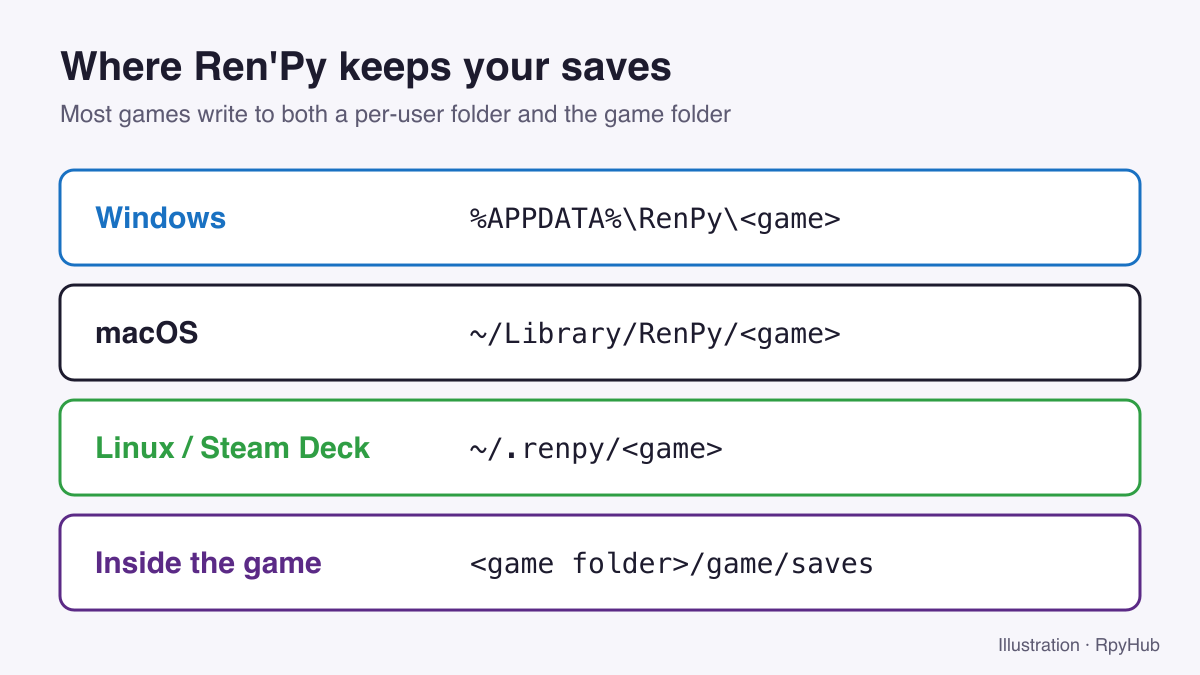
%APPDATA%\RenPy\<game>· macOS:~/Library/RenPy/<game>· Linux:~/.renpy/<game>.- Most games also keep a copy in
<game folder>/game/saves.- Back up both folders before updating or reinstalling.
- Games built with Ren’Py 8.1 or newer can include Upload Sync / Download Sync buttons to move saves with a short code.
The Two Places Ren’Py Saves Your Game
1. The per-user save folder
Ren’Py’s default is to save into a folder named after the game inside your user profile. The game’s developer picks that name (the config.save_directory setting), so it often looks like MyGame-1234567890 rather than the game’s title (Ren’Py documentation: config.save_directory, retrieved 2026-10-11).
| System | Folder | How to open it |
|---|---|---|
| Windows | %APPDATA%\RenPy\<game> | Press Win+R, type %APPDATA%\RenPy, press Enter |
| macOS | ~/Library/RenPy/<game> | In Finder, press Cmd+Shift+G and paste ~/Library/RenPy |
| Linux / Steam Deck | ~/.renpy/<game> | In your file manager, show hidden files (often Ctrl+H) and open .renpy in your home folder |
Because this folder sits outside the game, it survives when you delete or replace the game folder. That is why a fresh copy of a new version usually finds your saves on its own.
2. The game/saves folder inside the game
Most games also write saves to game/saves inside the unpacked game folder. This copy travels with the game: if you copy the whole game folder to another computer or a USB stick, these saves go with it.
Ren’Py save files end in .save (for example 1-1.save for page 1, slot 1). You will also see a file called persistent. It stores things that are shared across all saves, such as unlocked gallery images, seen endings and settings. Copy it together with your saves.
Where Are Saves on Android?
On Android, Ren’Py stores files inside the app package, so they are not guaranteed to be reachable as a normal folder (Ren’Py documentation, retrieved 2026-10-11). In practice:
- Updating: install the new APK over the old one. Do not uninstall first, because that deletes the app’s data, including saves.
- Moving to another device: use the game’s Sync buttons if it has them (see below), or an export option the developer added.
- Playing through JoiPlay: saves live in the
game/savesfolder of the PC game you unpacked on your phone, so you can copy them like on a computer. See our JoiPlay guide.
How to Back Up Your Ren’Py Saves
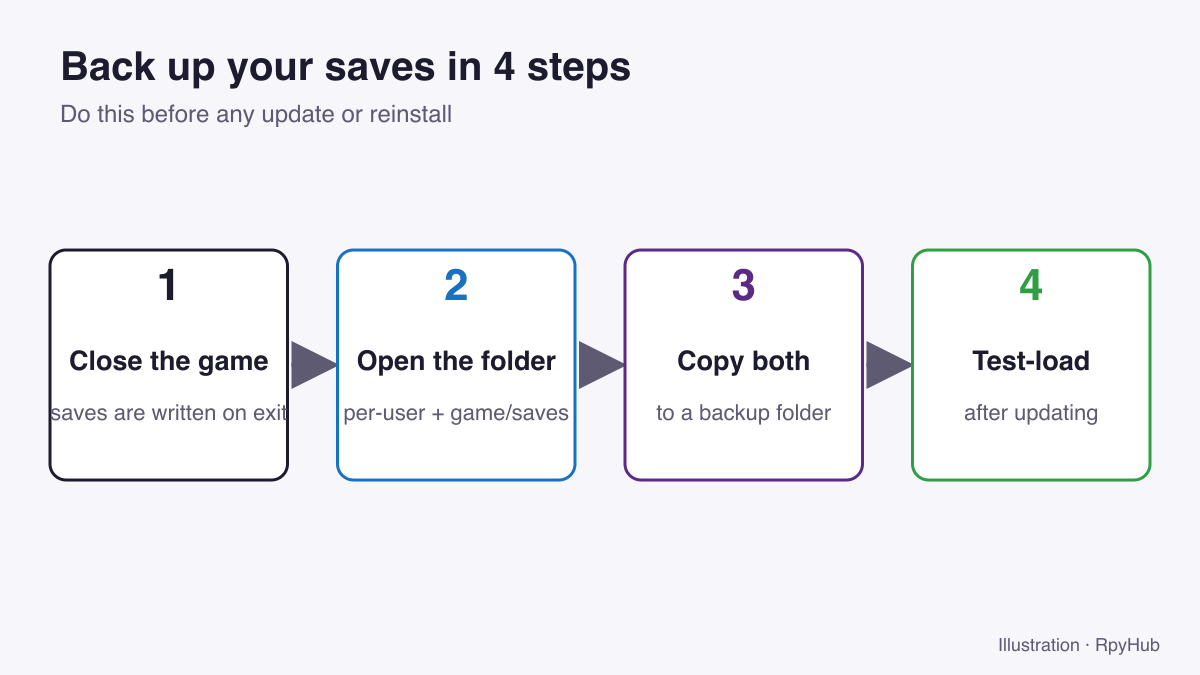
- Close the game. Ren’Py writes some data, including
persistent, when it quits. - Open both save locations: the per-user folder from the table above and
game/savesin the game folder. - Copy both folders to a backup location, such as
Documents/Game Saves/<game name>/. Add the date to the folder name. - After updating, start the game and load a save before deleting the backup.
A cloud-synced folder (OneDrive, iCloud Drive, Google Drive) makes a good backup location, since it also protects you if your drive fails.
How to Move Saves to a New Version of the Game
When a game updates, the safest routine is:
- Unpack the new version into a new, empty folder. Do not copy it over the old one; leftover files can cause script errors.
- Start the new version. If your saves appear, you are done: the per-user folder did its job.
- If they do not appear, copy
game/savesfrom the old version into the new version’sgamefolder. - Load your latest save. Once it works, delete the old version.
Some major updates are not compatible with older saves, usually when the developer changed a lot of the story code. In that case the game or its changelog normally says so, and you will need to start a new game or use a save from the start of the new chapter if the developer provides one.
Moving Saves Between PC and Phone with Ren’Py Sync
Ren’Py 8.1 added Ren’Py Sync, a feature for moving saves between devices through a server run by the Ren’Py project. You press Upload Sync on one device, get a short code, then press Download Sync on the other device and enter the code. The saves are encrypted, and only a hash of the game title is sent to the server (Ren’Py changelog, 8.1 / 7.6, retrieved 2026-10-11).
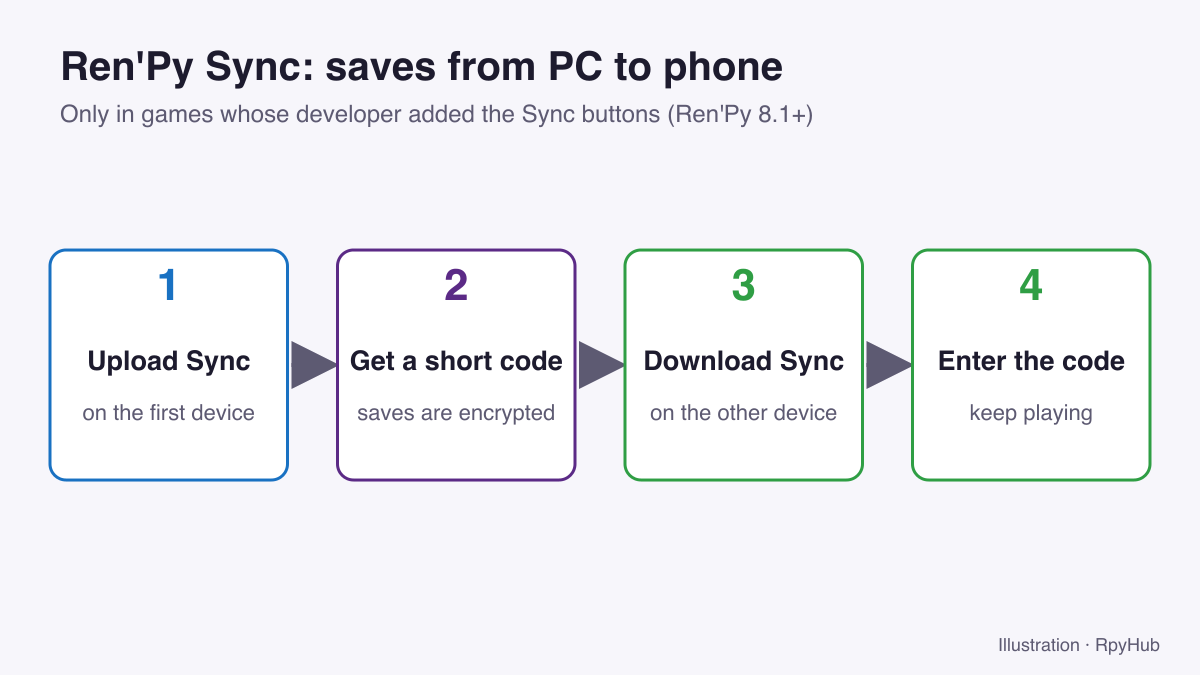
There is one catch: the developer has to add the Sync buttons to the game. If you do not see Upload Sync on the save or load screen, the game does not support it, and you will need to copy the files manually.
Moving Saves to Another Computer
- On the old computer, copy the per-user save folder and
game/saves. - On the new computer, install the same version of the game (or newer) and start it once, then close it. This creates the per-user folder.
- Paste your saves into the new per-user folder and into
game/saves. - Start the game and load a save.
Moving between Windows, macOS and Linux works the same way, since Ren’Py save files are the same on every desktop system. Only the folder location changes.
Saves Not Showing Up? Quick Checks
- Wrong version: older versions often cannot load saves from newer ones. Update the game first.
- Wrong folder name: the per-user folder is named by the developer, not after the game title. Sort by date modified to find the right one.
- Hidden folders:
AppDataon Windows,Libraryon macOS and.renpyon Linux are hidden by default. Use the shortcuts in the table above. - Different save page: check every page on the load screen, including auto-saves and quick saves.
Still stuck? Our Ren’Py troubleshooting guide covers more problems.
Frequently Asked Questions
Where does Ren’Py save games on Windows?
In %APPDATA%\RenPy\ followed by the game’s save folder name, and usually also in game\saves inside the game folder.
What is the “persistent” file in Ren’Py?
It stores data shared by all saves, such as unlocked gallery images, seen text and settings. Back it up together with your .save files.
Will deleting a Ren’Py game delete my saves?
Not entirely. Deleting the game folder removes game/saves, but the per-user copy stays on your computer until you delete it.
Can I move my save from PC to Android?
Yes, if the game has Ren’Py Sync buttons. Otherwise you can play the PC version on Android through JoiPlay and copy the saves folder directly.
Conclusion
- Saves live in a per-user folder and in
game/saves. Back up both. - Install updates into an empty folder and copy
game/savesacross if needed. - Use Ren’Py Sync when a game offers it; otherwise copy the files.
New to Ren’Py? Start with how to install Ren’Py games, or find your next game in the full catalog.






Comments
0