How to Install and Play NSFW Games on Android Safely
How to install NSFW games on Android: APKs, JoiPlay for PC Ren'Py and RPG Maker games, HTML games, updates, plus safety and privacy tips.
On this page 11 sections
- 1. Find Out What Kind of Game It Is
- Installing an APK
- PC Ren’Py and RPG Maker Games with JoiPlay
- HTML and Twine Games
- Storage, Performance and Updates
- Safety Rules for Sideloaded Games
- Privacy on a Shared or Work Phone
- Controls and Comfort on a Touchscreen
- Battery, Heat and Performance
- Backing Up Saves to Your Computer
- Frequently Asked Questions
Most adult games aren’t in the Google Play Store, so playing NSFW games on Android usually means installing APK files yourself or running PC versions through an app like JoiPlay. That’s straightforward once you know which kind of game you have, but it also means being more careful than usual about where files come from and who can see them on your phone.
This guide covers every common type of adult game (Ren’Py, RPG Maker, HTML and Unity), how to install each one, how to update without losing saves, and how to keep everything safe and private.
Key Takeaways
- Check the game’s engine first: it decides how the game runs on Android.
- Ren’Py APKs install like any app; PC Ren’Py and RPG Maker games usually run in JoiPlay.
- Unity games need a native Android version.
- Only install APKs from the developer or a source you trust, and install updates over the old APK to keep saves.
- Use app locks and keep game images out of your gallery for privacy.
1. Find Out What Kind of Game It Is
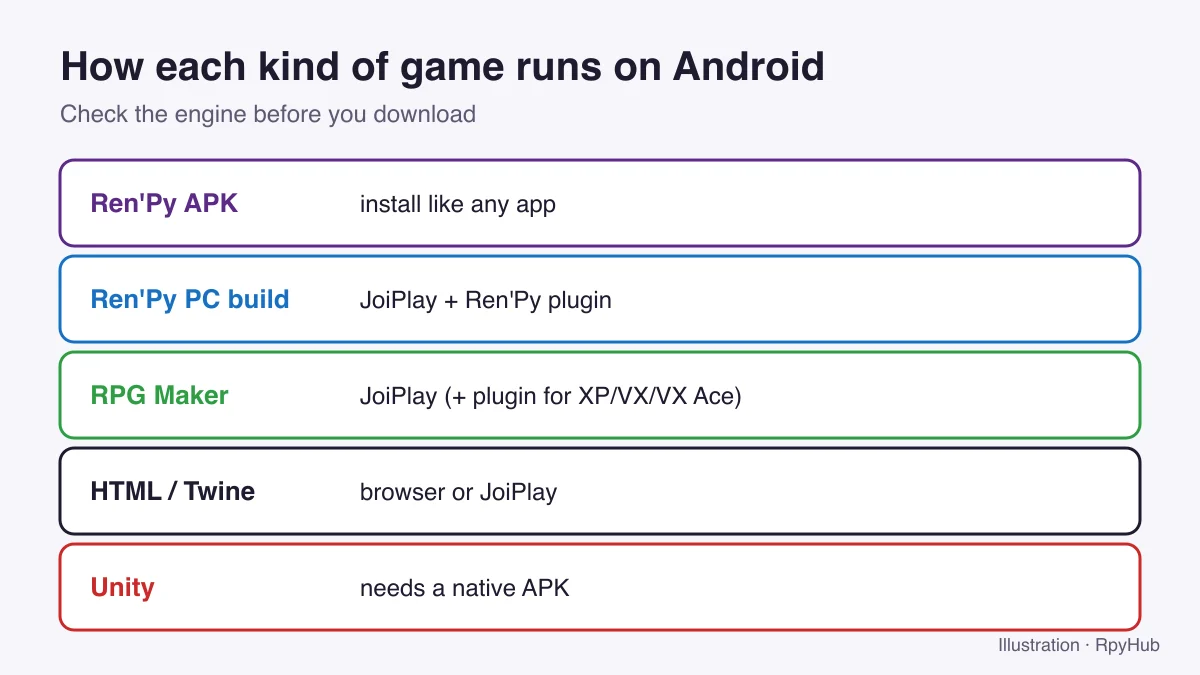
| Game type | How to tell | How it runs on Android |
|---|---|---|
| Ren’Py with Android build | Download is an .apk | Install directly |
| Ren’Py PC only | .zip with game/, lib/, renpy/ folders | JoiPlay + Ren’Py plugin |
| RPG Maker | Game.exe plus www/, Data/ or .rgss files | JoiPlay (XP/VX/VX Ace need the RPG Maker plugin) |
| HTML / Twine | An .html file to open | Mobile browser or JoiPlay |
| Unity | .exe with UnityPlayer.dll and a _Data folder | Only with a native .apk |
Catalog pages usually list the platforms a game supports. On RpyHub, the Android adult games page lists games with Android builds.
Installing an APK
- Download the APK on your phone from the developer or a trusted source.
- Open it. Android asks to allow installs from the app you used (browser or file manager). Allow it for that app only.
- Tap Install. If Google Play Protect warns about an unknown app, read the warning; continue only if you trust the source.
- Turn the install permission off again afterwards if you like.
PC Ren’Py and RPG Maker Games with JoiPlay
When a game has no APK, JoiPlay runs the PC version:
- Install JoiPlay from its developer’s official site or Patreon.
- Install the plugin you need: the Ren’Py plugin for Ren’Py games, the RPG Maker plugin for XP, VX and VX Ace games. JoiPlay’s site lists support for Android 5.0 and later (joiplay.io, retrieved 2026-11-11).
- Unzip the PC version of the game on your phone.
- In JoiPlay, tap + and choose the game’s
.exe.
Full walkthroughs: Ren’Py games with JoiPlay and RPG Maker games on Android.
HTML and Twine Games
Many smaller adult games are made with Twine or other HTML tools. They often run in a mobile browser:
- Unzip the game and open the
.htmlfile in your browser or file manager. - Saves are stored in the browser’s storage, so clearing browser data deletes them. Use the game’s export-save option if it has one.
- If the browser struggles, JoiPlay also supports HTML games.
Storage, Performance and Updates
- Check free space. Many adult games with rendered art are 1–4 GB, and unzipping for JoiPlay needs room for both the zip and the folder.
- Close other apps for heavy games.
- Updating an APK: install the new APK over the old one. Uninstalling first deletes the app’s data, including saves. “App not installed” usually means the new build was signed differently; back up saves first.
- Updating a JoiPlay game: unzip the new version, then copy the
savesfolder from the old one.
More on saves: where Ren’Py save files are and RPG Maker save files.
Safety Rules for Sideloaded Games
Sideloaded apps skip the Play Store’s checks, so a few rules matter:
- Trusted sources only. The developer’s site, their Patreon or SubscribeStar, or a site you trust.
- Watch the permissions. A visual novel doesn’t need your contacts, SMS or accessibility services. If an APK asks for them, uninstall it.
- Keep Play Protect on. It can still scan sideloaded apps.
- Avoid “modded” or “unlocked” APKs from unknown uploaders; they’re a common way to spread malware.
- Never load saves from strangers in Ren’Py games; save files can run code (is Ren’Py safe?).
Privacy on a Shared or Work Phone
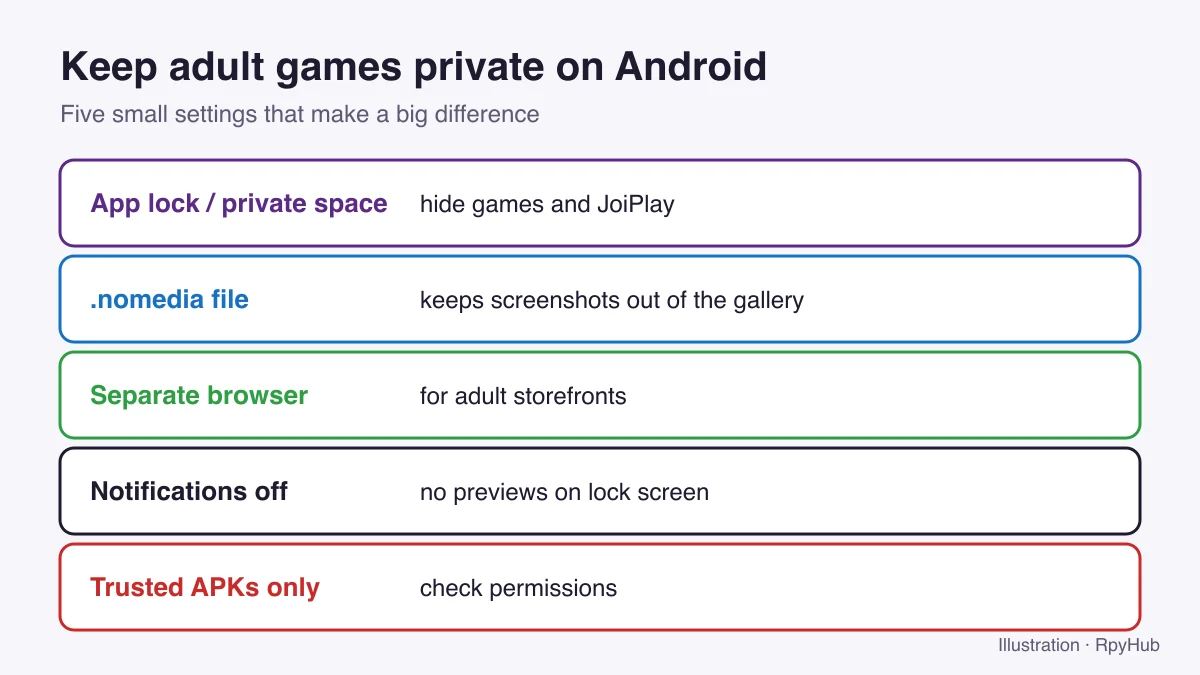
- App lock. Many Android phones have a built-in app lock or “private space”; use it for games and JoiPlay.
- Hide screenshots from your gallery. Put a file named
.nomediain folders with game screenshots so gallery apps skip them. - Separate browser profile. Use a different browser or private tab for adult storefronts.
- Notifications. Turn off notifications from launcher apps if previews could show content.
Controls and Comfort on a Touchscreen
- Native APKs are usually built for touch: tap to advance, swipe or tap a button to roll back.
- JoiPlay games use on-screen buttons. Map the keys you use most, such as H (hide text box) and Page Up (roll back) for Ren’Py games, and Z / X (confirm / cancel) for RPG Maker games.
- Text size: in Ren’Py games, the Shift+A accessibility menu can enlarge text. Map Shift+A to a button in JoiPlay, or use a connected keyboard once (text size guide).
- Landscape lock: most visual novels are designed for landscape; lock rotation to avoid flipping.
Battery, Heat and Performance
Large games with high-resolution art can be demanding:
- Lower brightness and close background apps for longer sessions.
- Avoid charging while playing heavy games if your phone gets hot.
- Free up storage: phones slow down when storage is almost full.
- Use smaller builds when developers offer “compressed” or “mobile” versions.
Backing Up Saves to Your Computer
- For JoiPlay games, copy the game’s
savesfolder from your phone to your computer with a USB cable or cloud storage. - For APK games, check the game’s menu for an export or Sync option. Ren’Py games built with Sync support offer Upload Sync and Download Sync buttons (how it works).
- Keep backups before every update.
Frequently Asked Questions
How do I play NSFW games on Android?
Install the game’s APK if it has one. If not, PC Ren’Py and RPG Maker games usually run in JoiPlay, and HTML games run in a browser.
Are adult games on the Google Play Store?
Very few. Most adult games are distributed as APKs from developers’ own pages or catalog sites.
Is it safe to install APK files?
Yes, from trusted sources. Check permissions, keep Play Protect on, and avoid modified APKs from unknown uploaders.
Why does my game say “App not installed” when updating?
The new APK was signed with a different key than the installed one. Back up your saves before uninstalling and reinstalling.
Can I play Unity adult games in JoiPlay?
Generally no. Unity games need a native Android build.
Why is my game so slow on Android?
Large games can be heavy for older phones. Close other apps, free up storage, and prefer a native APK over JoiPlay when one exists.
Can I move my Android save to PC?
For JoiPlay games, yes: copy the saves folder. For APKs, use the game’s export or Sync option if it has one.











Comments
0