
Ren’Py Games on Mac: Apple Silicon, the “Damaged App” Fix and Save Location

Most Ren’Py visual novels have a Mac version, and they run well on both Intel and Apple Silicon Macs. The main obstacle is macOS itself: because most indie games are not notarised by Apple, macOS often blocks them on first launch, sometimes with a scary “app is damaged” message.
This guide shows how to install Ren’Py games on Mac, get past Gatekeeper safely, find your saves, and fix the most common problems.
Key Takeaways
- Unzip the Mac download, move the
.appto Applications, then right-click → Open the first time.- “App is damaged” usually means macOS quarantined an unsigned download;
xattr -crremoves the flag.- Recent Ren’Py versions are universal apps that run natively on Apple Silicon.
- Saves are in
~/Library/RenPy/<game>and usually also inside the app.
Installing a Ren’Py Game on Mac
- Download the Mac version (or a combined PC/Mac build that includes a
.app). - Double-click the
.zipto unpack it. You getMyGame.app. - Drag
MyGame.appinto your Applications folder. - The first time, right-click (or Control-click) the app and choose Open, then confirm.
After the first launch you can open it normally from Launchpad or Applications.
Fixing “App Is Damaged and Can’t Be Opened”
macOS adds a quarantine flag to downloaded files. For apps that are not signed and notarised by Apple, which includes most indie games, that flag can make macOS refuse to open the app and claim it is damaged. The app is usually fine; macOS is blocking it.
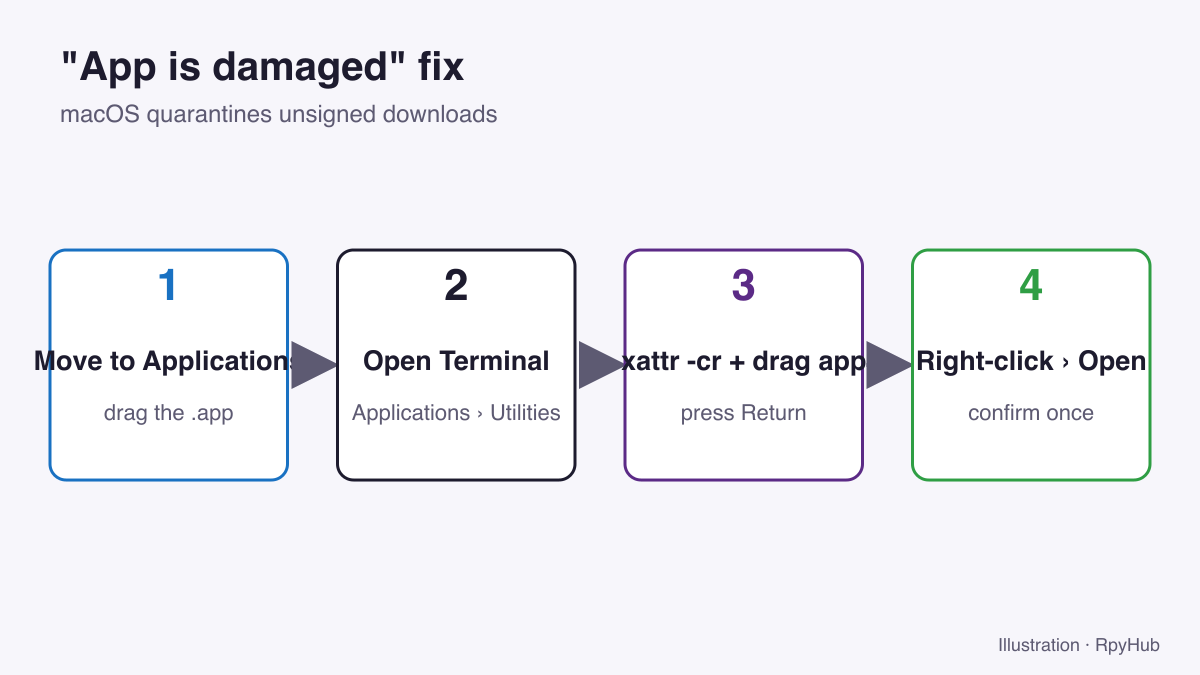
- Make sure the app is in Applications.
- Open Terminal (Applications → Utilities → Terminal).
- Type
xattr -cr(with a space at the end), drag the app onto the Terminal window, and press Return. - Right-click the app → Open → Open.
xattr -cr removes the quarantine attribute from the app. Only do this for games from a source you trust: you are telling macOS not to check this download. Our guide is Ren’Py safe? covers how to judge a download.
Apple Silicon (M1, M2, M3, M4 Macs)
Ren’Py’s changelog notes that on the Mac it now uses a universal binary that runs natively on both Intel and Apple Silicon processors (Ren’Py changelog, retrieved 2026-10-12). Games built with recent Ren’Py versions therefore run natively.
Older games built before that change are Intel-only. They still run on Apple Silicon through Rosetta 2, Apple’s translation layer; macOS offers to install Rosetta the first time you open such an app.
Where Are Ren’Py Saves on Mac?
Ren’Py saves to ~/Library/RenPy/<game save folder> by default (Ren’Py: config.save_directory, retrieved 2026-10-12). To open it:
- In Finder, press Cmd+Shift+G.
- Paste
~/Library/RenPyand press Return. - Open the folder named after the game (the developer chooses the name, so it may include numbers).
Many games also keep a copy of saves inside the app bundle, in MyGame.app/Contents/Resources/autorun/game/saves. To see it, right-click the app → Show Package Contents. For backups and moving saves, see where Ren’Py save files are.
Updating a Game Without Losing Saves
- Back up
~/Library/RenPy/<game>. - Replace the old
.appin Applications with the new one. - Start the game: it reads saves from
~/Library/RenPy, so they should appear. - If not, copy the
savesfolder from the old app’s package contents into the new one.
Common Mac Problems
| Problem | Fix |
|---|---|
| “Can’t be opened because it is from an unidentified developer” | Right-click → Open → Open |
| “App is damaged” | xattr -cr as shown above |
| No Mac version, only Windows/Linux | Check if the PC zip contains a .app; otherwise the game has no Mac build |
| Black screen or glitches | Press Shift+G to choose another renderer |
| Text too small on a Retina screen | Shift+A → raise text size (accessibility guide) |
| Saves missing after update | Check ~/Library/RenPy and the old app’s package contents |
Frequently Asked Questions
Can I play Ren’Py games on a Mac?
Yes. Most Ren’Py games include a Mac version, and recent ones run natively on Apple Silicon.
Is it safe to use xattr -cr on a game?
It removes macOS’s download quarantine flag, so macOS stops checking that app. It’s safe for games from sources you trust, but don’t use it on files you’re unsure about.
Where does Ren’Py store saves on macOS?
In ~/Library/RenPy/ followed by the game’s save folder name, and often also inside the app bundle.
Do Ren’Py games work on M1 and M2 Macs?
Yes. Recent Ren’Py builds are universal; older Intel-only builds run through Rosetta 2.
Conclusion
Move the .app to Applications, right-click → Open the first time, and use xattr -cr only if macOS insists the app is damaged. Saves live in ~/Library/RenPy, so updates usually keep them.
Browse games with a Mac build in the macOS catalog.






Comments
0