Best Visual Novels for Android: How to Find Games That Run Well on Your Phone
The best visual novels for Android are not only the ones with the best stories; they are the ones that actually run smoothly on your phone, fit in your storage and keep your saves when they update. A great game that stutters, crashes or eats 4 GB of space is not much fun on a commute.
This guide gives you a quick checklist for picking Android visual novels, explains native APKs versus JoiPlay, and shows where to browse games that are ready for your phone.
Key Takeaways
- Prefer games with a native Android APK: built for touch, faster, and easy to update.
- PC-only Ren’Py and RPG Maker games can usually run through JoiPlay.
- Check download size, free storage and your Android version before downloading.
- Install updates over the old APK; uninstalling first deletes your saves.
The Quick Checklist
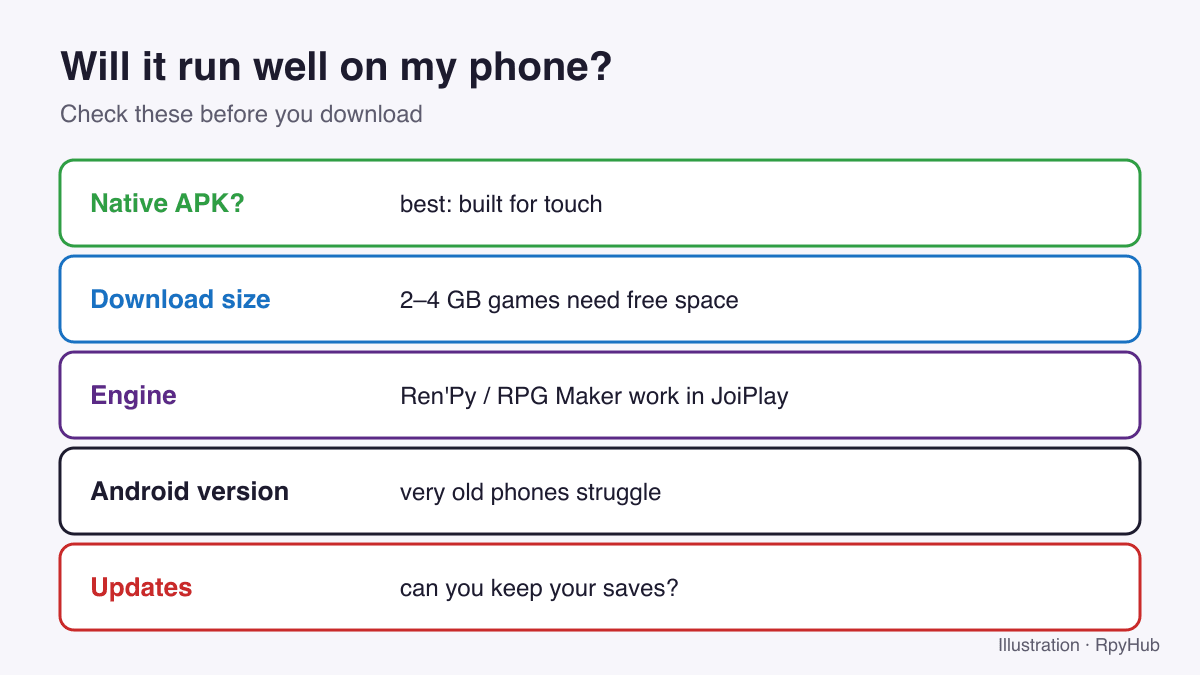
- Is there a native APK? A game built for Android has touch-friendly menus and usually runs best.
- How big is it? Many visual novels with rendered art are 1–4 GB. You need at least that much free space, plus room to unpack if you use JoiPlay.
- Which engine? Ren’Py and RPG Maker games can run in JoiPlay if there is no APK.
- How old is your phone? Very old devices and Android versions struggle with large, image-heavy games.
- Will updates keep your saves? APK updates installed over the old version keep saves; uninstalling deletes them.
Native APK vs JoiPlay
| Native APK | JoiPlay (PC version) | |
|---|---|---|
| Setup | Install and play | Install JoiPlay + plugin, unzip game, add it |
| Controls | Designed for touch | On-screen buttons for keyboard keys |
| Performance | Usually best | Good for most games, slower for heavy ones |
| Updates | Install new APK over the old one | Unzip new version, copy saves across |
| Availability | Only if the developer builds one | Most Ren’Py and RPG Maker PC games |
If both are available, choose the APK. If not, our guides cover Ren’Py games in JoiPlay and RPG Maker games on Android.
What Makes a Visual Novel Good on a Phone
Beyond the story itself, these details make a big difference on a small screen:
- Readable text. Look for games with text size options. Ren’Py games also have an accessibility menu that can enlarge text; see how to make Ren’Py text bigger.
- Touch-friendly menus. Big buttons, a quick menu for skip and auto, and swipe or tap rollback.
- Reasonable length per session. Games with clear chapters or days are easier to play in short bursts.
- Auto mode. Auto-forward lets you read hands-free.
- Frequent saves or auto-save. Phones get interrupted; Ren’Py saves the game state when the app goes to the background by default, but saving yourself is still wise.
Picking by Genre
Your phone is a great fit for some genres in particular:
- Kinetic and story-focused VNs: no menus to manage, just read. See kinetic novel vs visual novel.
- Branching romance and drama: short choices, long story.
- Sandbox games: very playable on phones, but larger and more demanding. Read what a sandbox visual novel is first.
Installing and Updating Safely
- Download the APK on your phone.
- Allow installs from your browser or file manager when Android asks, for that app only.
- Tap Install.
- For updates, install the new APK over the old one. If Android says “App not installed”, the new build was signed differently; back up your saves with the game’s export or Sync option first.
Some newer Ren’Py games have Upload Sync / Download Sync buttons that move saves between PC and phone with a short code. Our Ren’Py save files guide explains how they work.
Where to Browse Android Visual Novels
On RpyHub, the Android games page lists games with an Android build. Combine it with genres such as visual novel or sandbox, or with your language, to narrow the list. For PC-only games you want to try anyway, JoiPlay is your fallback.
Frequently Asked Questions
Can I play PC visual novels on Android?
Yes, most Ren’Py and RPG Maker PC games run in JoiPlay. Games with a native APK are still the easiest option.
How much storage do Android visual novels need?
It varies widely. Many are under 1 GB, but games with lots of rendered art can be 2–4 GB or more. Check the download size first.
Why does my visual novel crash on Android?
Common causes are low free storage or memory, an outdated JoiPlay plugin, or a game that is too heavy for the device. Free up space and update JoiPlay first.
Will updating an Android visual novel delete my saves?
Not if you install the new APK over the old one. Uninstalling first deletes the app’s data, including saves.
Conclusion
Pick Android-ready games with a native APK when you can, check size and storage, and keep saves safe by installing updates over the old version. For PC-only Ren’Py and RPG Maker games, JoiPlay fills the gap.
Start browsing the Android catalog.



Comments
0