How to Use RpyHub: Filters, Wishlist, Collections and Finding Your Next Game
How to use RpyHub: browse by platform, language and genre, try Surprise Me, save games to your wishlist and collections, and report broken links.

On this page 7 sections
RpyHub is a catalog of visual novels, Ren’Py games and RPG Maker titles for Windows, Mac, Linux and Android. This guide shows how to use RpyHub to find games that fit your device and language, keep track of what you want to play, and get help when something doesn’t work.
Key Takeaways
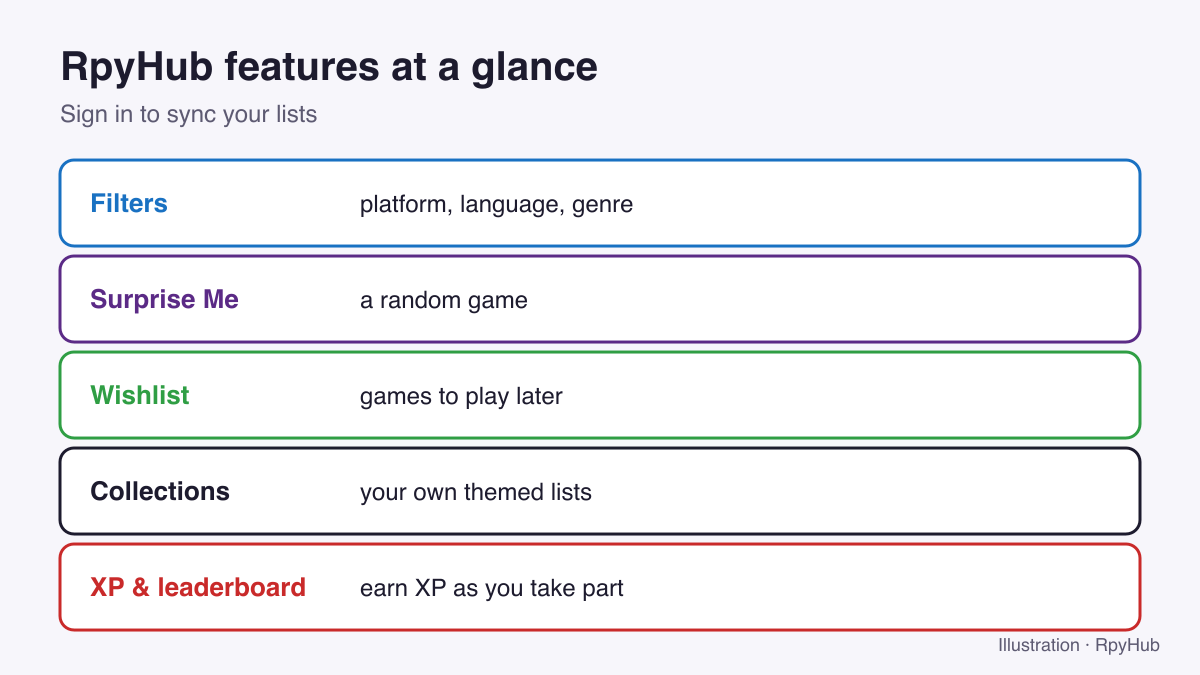
- Browse by platform, language and genre to find games that run on your device and in your language.
- Surprise Me picks a random game when you can’t decide.
- Sign in to sync your wishlist, collections and XP.
- Use Report Broken Link and the comments to request fixes and updates.
Finding Games
Browse by platform
Start from the device you’ll play on:
- Windows: EXE / ZIP builds.
- Android: APK builds for phones and tablets.
- macOS: DMG / APP builds for Apple Silicon and Intel Macs.
- Linux: native builds that also suit Steam Deck.
Not sure which file to start after downloading? See how to install Ren’Py games.
Browse by language
The catalog lists 30 game languages. Pick yours to see only games you can read, for example English, Spanish, German, Russian or Simplified Chinese.
Browse by genre
Genres such as Visual Novel, Sandbox, Simulation, RPG and Early Access help you find the style you enjoy. New to the terms? Our visual novel glossary explains them.
The full catalog and A–Z
The complete catalog lists every game, and the A–Z list helps when you know a title. You can also sort by recently updated games to see what’s new.
Surprise Me
Can’t decide? Surprise Me opens a random game page. It’s a good way to discover something outside your usual genres.
Best Games of the Month
A curated page of the month’s highlights, handy when you want a recommendation rather than a search.
Reading a Game Page
A game page brings together what you need to decide:
- Description and screenshots to see the style and story.
- Version and last update, so you know whether the game is complete or still in development. See early access and episodic visual novels.
- Platforms and languages the game supports.
- Store reviews, where available, to see what other players think.
- System requirements.
- Official links to the developer’s pages, where you can support them.
- Comments and reviews from other players.
Saving and Organising Games
Sign in to keep your lists in sync across devices.
- Wishlist: save games you want to play later.
- Collections: build your own themed lists, such as “short stories”, “finished sandbox games” or “to play on Android”.
- Followers: follow other players and see their collections.
- XP and leaderboard: your profile shows your XP and where you rank on the leaderboard. See your profile page for how XP is earned.
Getting Help
- A download link doesn’t work? Use Report Broken Link on the game page, or the broken link form. Mention which mirror failed.
- Want a newer version? Request an update in the game’s comments.
- Game won’t start? Our troubleshooting guide covers the common fixes.
- Playing on your phone? See JoiPlay for Ren’Py games and RPG Maker games on Android.
- All guides are collected in Guides & How-tos.
Community
RpyHub has community channels on Telegram, Discord, Instagram and VKontakte, linked in the site footer, plus a newsletter for new releases and updates. Please read the community rules before commenting.
Frequently Asked Questions
Do I need an account to use RpyHub?
You can browse without one. Signing in lets you sync your wishlist, collections and XP.
How do I find games in my language on RpyHub?
Open the Languages menu and choose your language to see games that support it.
How do I report a broken download link?
Use Report Broken Link on the game page or the contact form, and say which mirror failed.
How do I find games for Android on RpyHub?
Open the Android platform page. For PC-only games, our JoiPlay guide shows how to play them on your phone.
Conclusion
Filter by platform, language and genre; try Surprise Me when you’re stuck; save games to your wishlist and collections; and use the report and comment tools when something needs fixing.
Start exploring the catalog.














Comments
0